HR & Payroll · Built for the Philippines
ADAMM runs attendance, payroll, and government reporting for Philippine companies. Every peso on a payslip traces back to the hours and days behind it, so the questions your staff ask have answers on the page.
Your company gets its own space at yourcompany.adamm.ph, set up with your own masterfile in it.
| Item | Basis | Amount |
|---|---|---|
| Basic pay | 11 days | 18,700.00 |
| Overtime | 6.50 hrs | 1,462.50 |
| Night differential | 14.00 hrs | 476.00 |
| Meal allowance | 11 days | 1,100.00 |
| SSS contribution | EE share | (900.00) |
| PhilHealth | EE share | (468.75) |
| Pag-IBIG | EE share | (200.00) |
| Withholding tax | TRAIN | (1,143.20) |


Two companies, two different shapes of payroll, one system. If your own setup looks like neither of these, that is the conversation to have on a call rather than a page.
What it covers
Most HR software in the market handles one slice and hands you a spreadsheet for the rest. ADAMM was written for the whole run: the clock-in on the floor, the approval on someone's phone, and the government file at the end of the month.
Selfie and GPS time-in from the employee's own phone, or a shared kiosk at the gate. Punches made with no signal are held on the device and sync when the line comes back.
Weekly, semi-monthly, monthly. Night differential, rest day and holiday premiums, undertime, and loan amortisation all computed from the DTR, never typed in twice.
SSS, PhilHealth, Pag-IBIG and BIR withholding follow the published tables. When a circular changes a bracket, the schedule is updated for every company on the platform.
Leave, overtime, official business, undertime, change shift, work location, COE and nine request types in all, each following the approval chain you configure once.
Accrued month by month with the basis visible, a true-up run in December, and 2316s generated per employee. Alphalist exports in the format the eBIRForms tool accepts.
HR Manager, HR Staff, Approver, Kiosk, Employee. Every page and every button is permission-gated, so a branch supervisor sees their branch and nothing beyond it.
The arithmetic of switching
The system HR works in
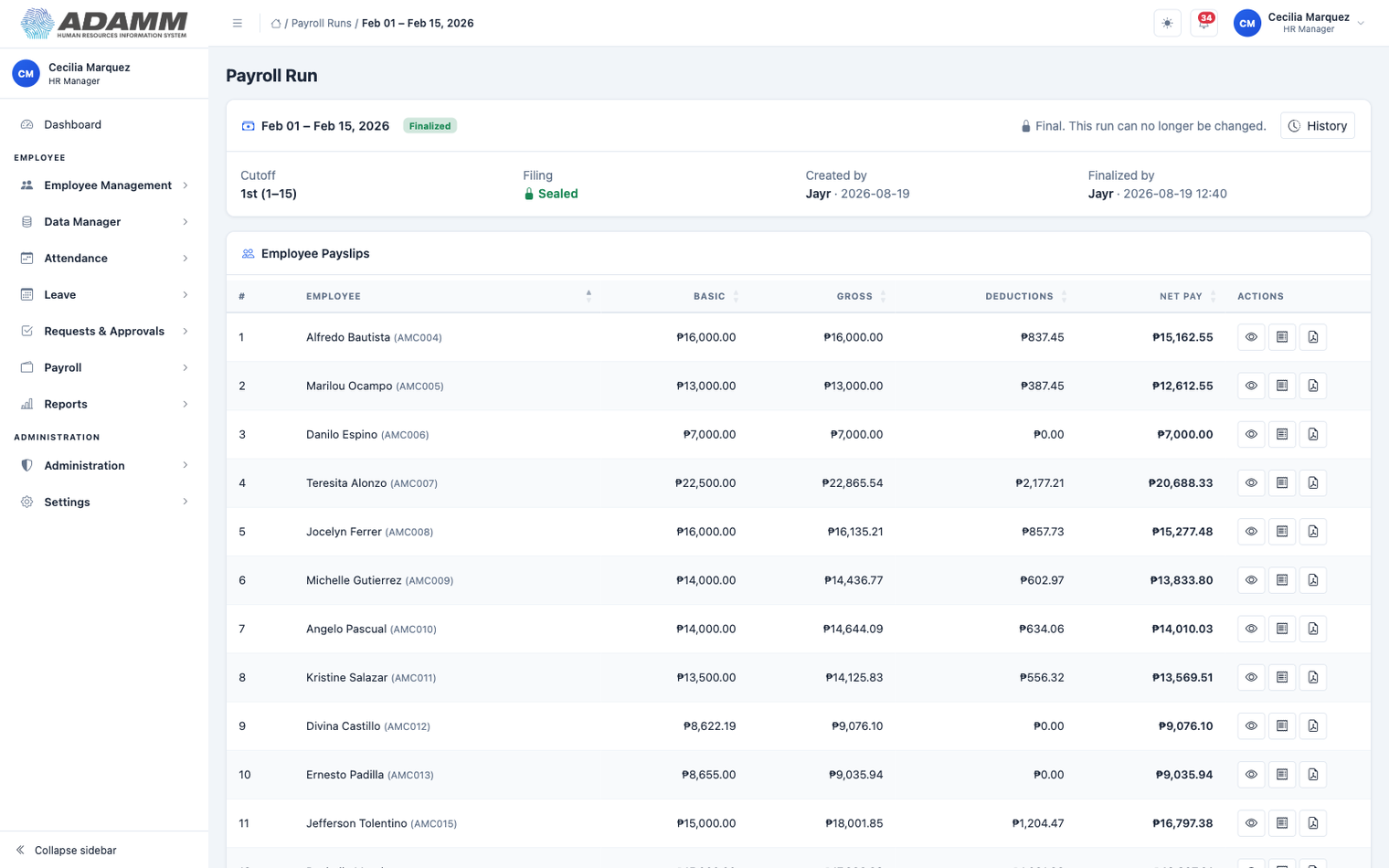
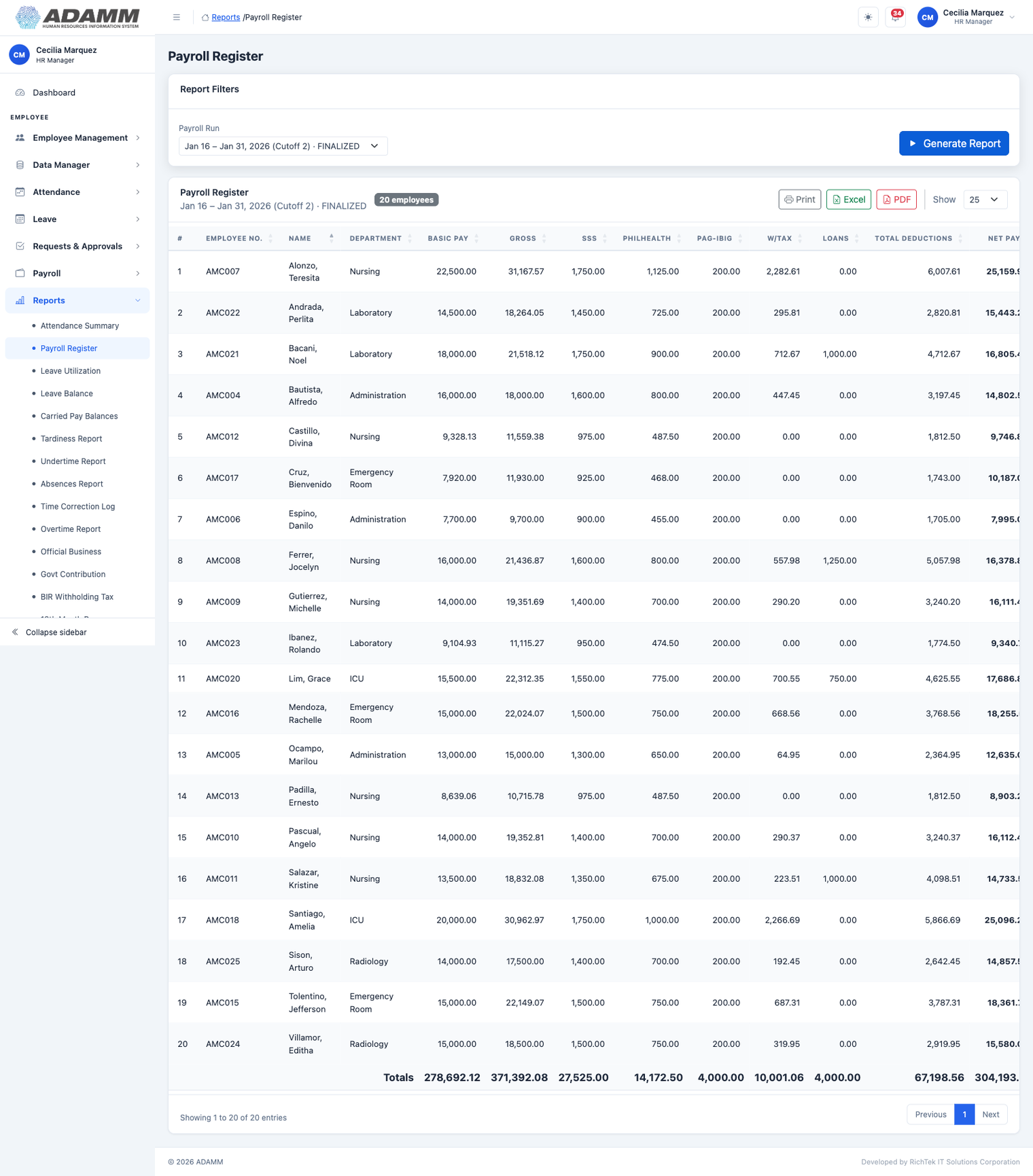
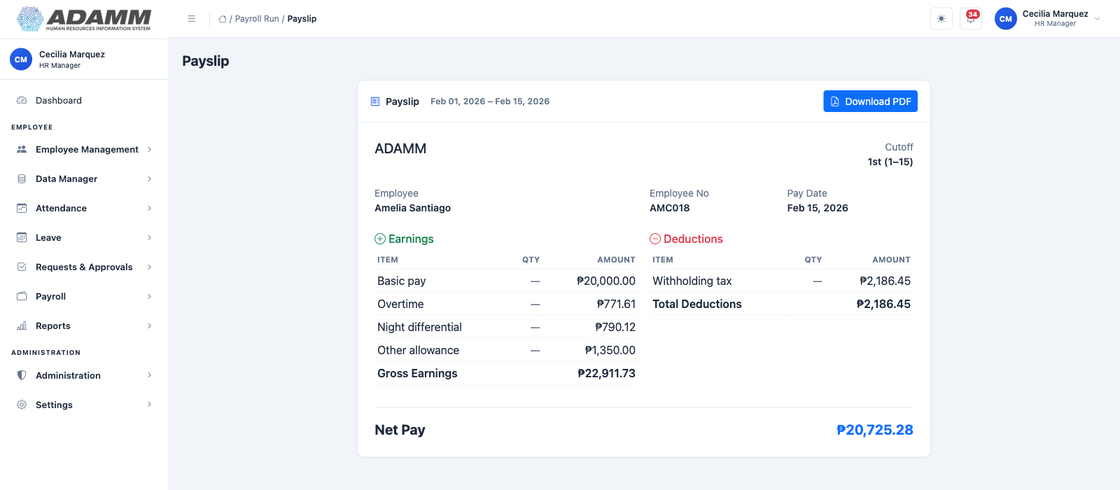
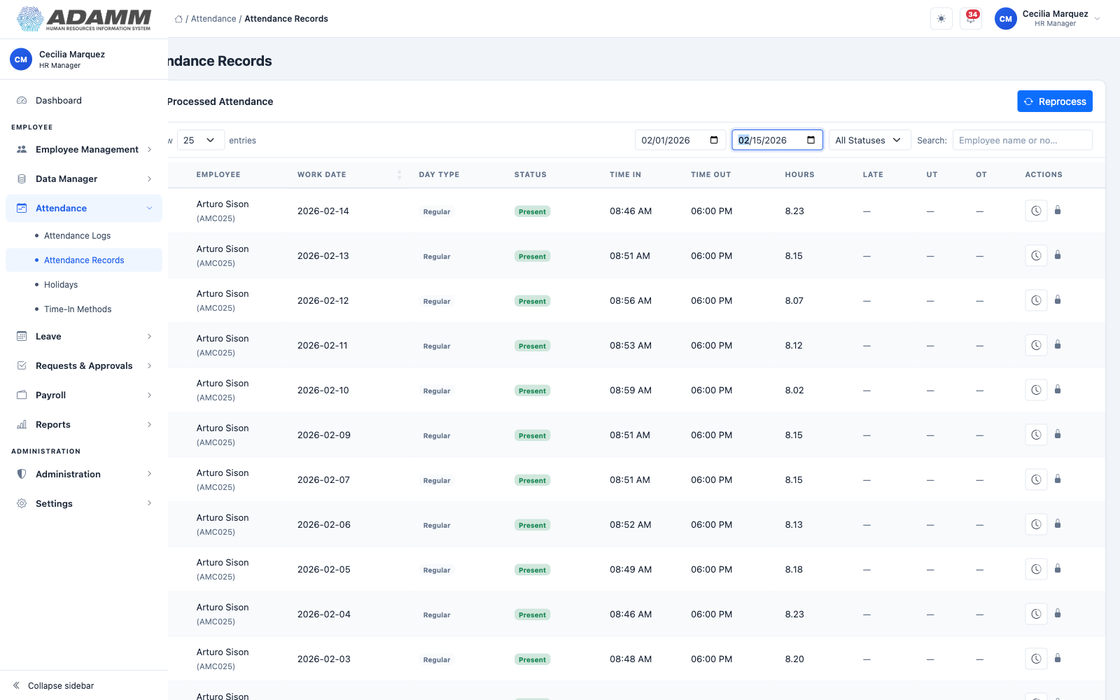
Four real screens, signed in as an HR Manager. A finalized cutoff, the register your accountant asks for, one person’s payslip, and the DTR all of it is traced back to. Once a run is finalized it is sealed, and the page says so rather than trusting anyone to remember.
Employee self-service
These are screenshots off a real device, not mockups: the same five tabs, the same navy, the same numbers your staff would see. Employees get their side of the payroll HR already closed on the web, so nobody has to ask HR what a deduction was for.
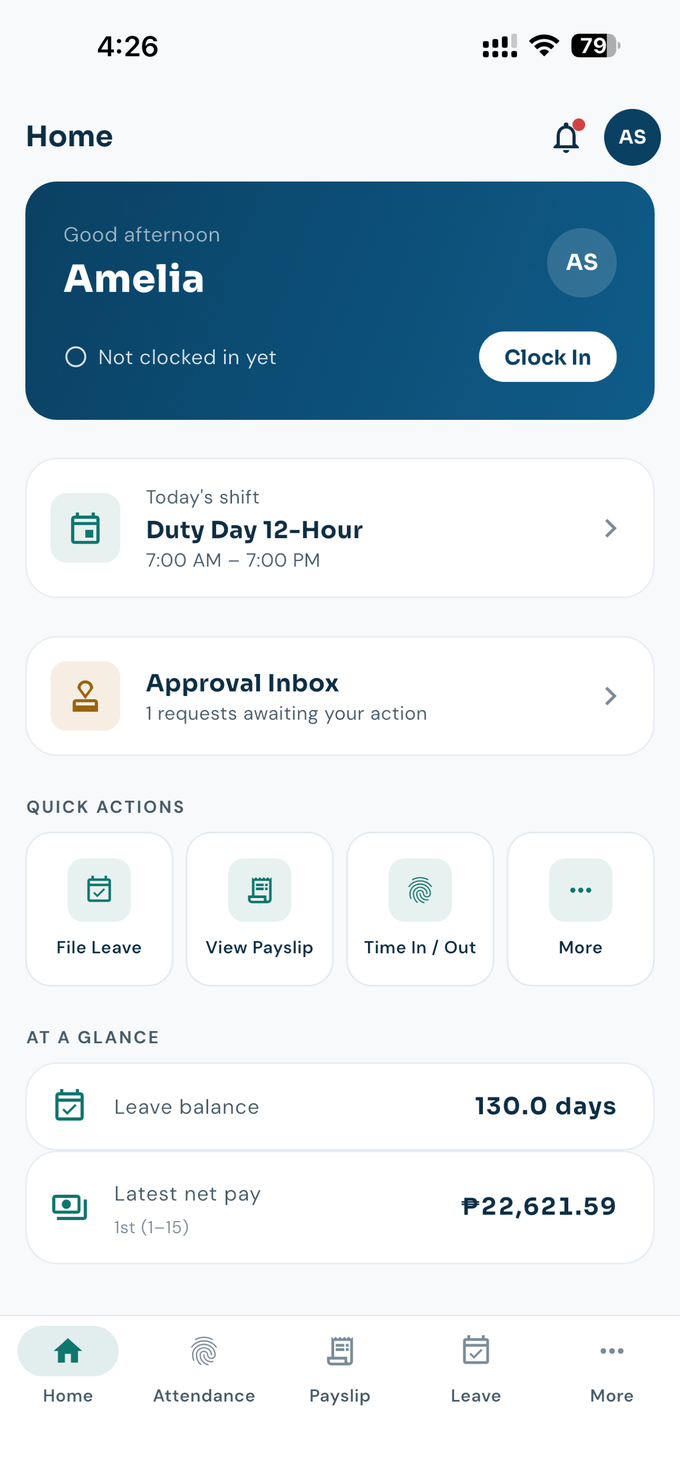
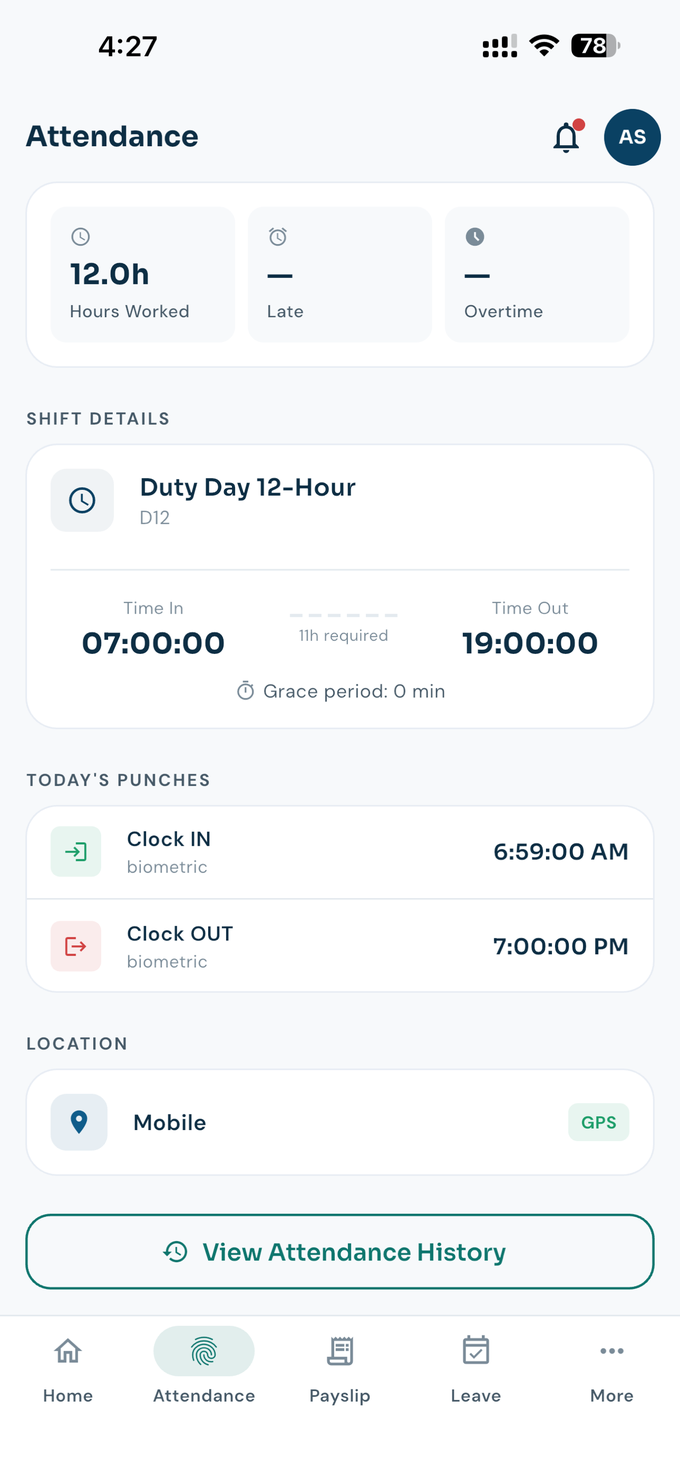
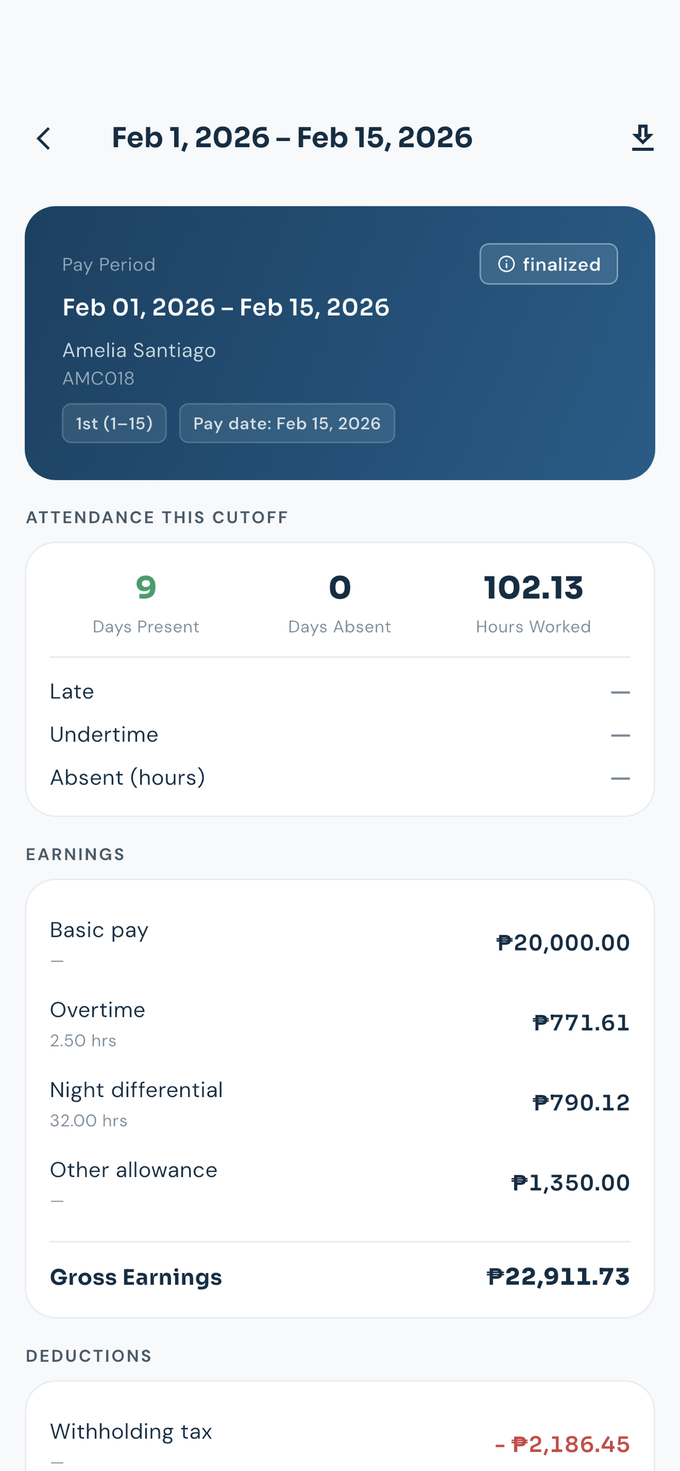
Android builds are in the hands of our first companies now; the Google Play listing is in review, with iOS alongside it. Accounts are issued by the employer, so staff have nothing to sign up for.
WHAT IT COSTS
ADAMM is not self-serve yet, and that is deliberate while the system is young. Configuration is where payroll goes wrong, so every company is set up by hand, with someone who knows the rules sitting beside you.
An hour, on a call or in your office, with your own payslips and DTRs on screen instead of a demo company. Nothing to install to see it.
Your own subdomain at yourcompany.adamm.ph, with your masterfile imported and your shifts, branches and approval chains configured before you touch it.
The same cutoff you just paid by hand, run again here. Compare the two registers line by line, and decide with the arithmetic in front of you.
Pricing is settled per company once the parallel run is done and we both know the size and shape of the work. Nothing on this page is a commitment. To start, write to support@adamm.ph with your headcount and how you pay today, or call (02) 8927 2719. Full details are in Contact.
Import your masterfile, run the same cutoff you just paid by hand, and compare the two registers line by line. If the numbers do not agree, you have lost nothing but an afternoon.
Questions
Answered the way we would answer them on a call, which means some answers are "not yet". Anything not here, ask us directly.
Yes. Each employee carries a biometric number that ties them to the punches your device already produces, so the machine on your wall keeps working and ADAMM reads from it. The phone, a QR kiosk on a tablet, and manual entry by HR are additional ways in, not replacements. Which ones are switched on is your setting, per company.
That is the normal case here, not the edge case. Pay frequency and rate type are two separate settings: semi-monthly on a daily rate is a valid pairing and so is semi-monthly on a monthly salary. Weekly is daily-rate only, and the system refuses the combination rather than quietly computing something wrong. Cutoffs are set per branch, so a plant and a head office can run on different dates.
The contribution tables live in the system and are versioned by effective date. When a new schedule takes effect you add the new version; last month's payslips keep computing on the table that was in force when they were run, so a rate change never rewrites history you have already filed.
Reporting covers the government forms plus withholding, 13th month with the December true-up, and annualization.
Twenty-one reports, in four families: attendance, payroll, leave and people. Every one of them reads data the system already holds and computes nothing of its own, so if a figure looks wrong the fix is upstream in attendance or payroll, never in the report.
Payroll reports offer finalized runs only, on purpose: a draft can still change, and a figure you hand to an agency should not. Exports are Excel and PDF, and they can be password-protected.
A CSV import, and the template is generated fresh each time so it always matches what the system currently requires. Fill it in Excel or Google Sheets and save as CSV. It accepts both YYYY-MM-DD and the MM/DD/YYYY Excel insists on producing, so you are not fighting the spreadsheet.
A file is all or nothing: if a row is wrong, nothing is written and you get told which row and why. Every active row it creates also gets a login with a temporary password and its leave credits.
Only the employee it belongs to, and the HR roles you grant. Access is by role and permission, not by seniority, so a colleague at your level cannot open your payslip and an HR Staff account can be allowed to prepare a run without being allowed to finalize it. Administrative actions are logged.
Yours. Your company is the Personal Information Controller under the Data Privacy Act; we operate the system on your behalf as the processor and never use your records for our own purposes. Retention is your policy, not ours.
If you leave, you take your data with you in the exports above. Details are in our privacy policy.
No, and that is deliberate while the system is young. Configuration is where payroll goes wrong, so every company is set up by hand with someone who knows the rules. What you get instead is one cutoff run in parallel against the one you just paid manually, on your own data, before any money changes hands. Pricing is settled per company after that run.
Android builds are with our first companies now and the Google Play listing is in review, with iOS alongside it. There are no store badges on this page because the listings are not live yet, and we would rather say so than put up a button that goes nowhere. Staff never sign up for anything: accounts are issued by the employer.
Contact
Setup is done by hand, so the first conversation is with the people who will actually configure your cutoffs. Send your headcount and how you pay today, and we will come back with a time.
Write
The fastest route. Tell us your headcount, your cutoff schedule, and how payroll is computed today.
Visit
Bacolod City
Door 1, Nicks Lumber Building,
Lacson - Luzuriaga Street,
Barangay 25, Bacolod City,
Negros Occidental, Philippines.